Feed and company board
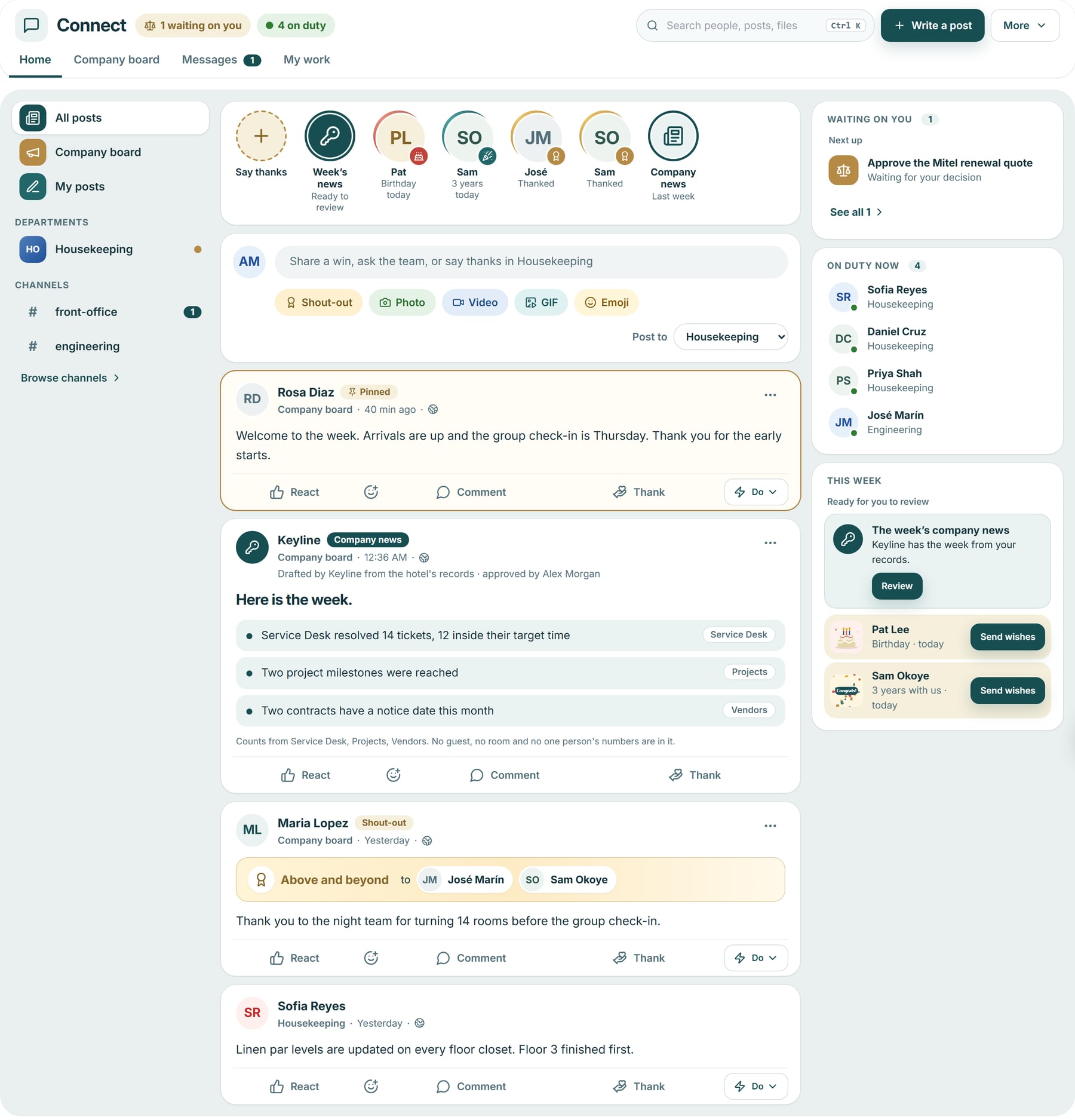
Home shows posts from the spaces a person can see, with pinned posts first. Managers and department heads post to the company board and everyone can comment; everyone in a department can post in its space.
Connect + Keyline AI
One feed and one set of conversations for housekeeping, engineering, front office and IT, where a message becomes a confirmed work order after one confirmation and Keyline drafts the news and kind words for a person to post.
Choose who to thank and a badge, say what they did and why it mattered, and add a photo, a file or a voice note. The stories row above holds the week’s news waiting for review, birthdays and anniversaries, and the latest thanks.
Grand Harbour Hotel sample data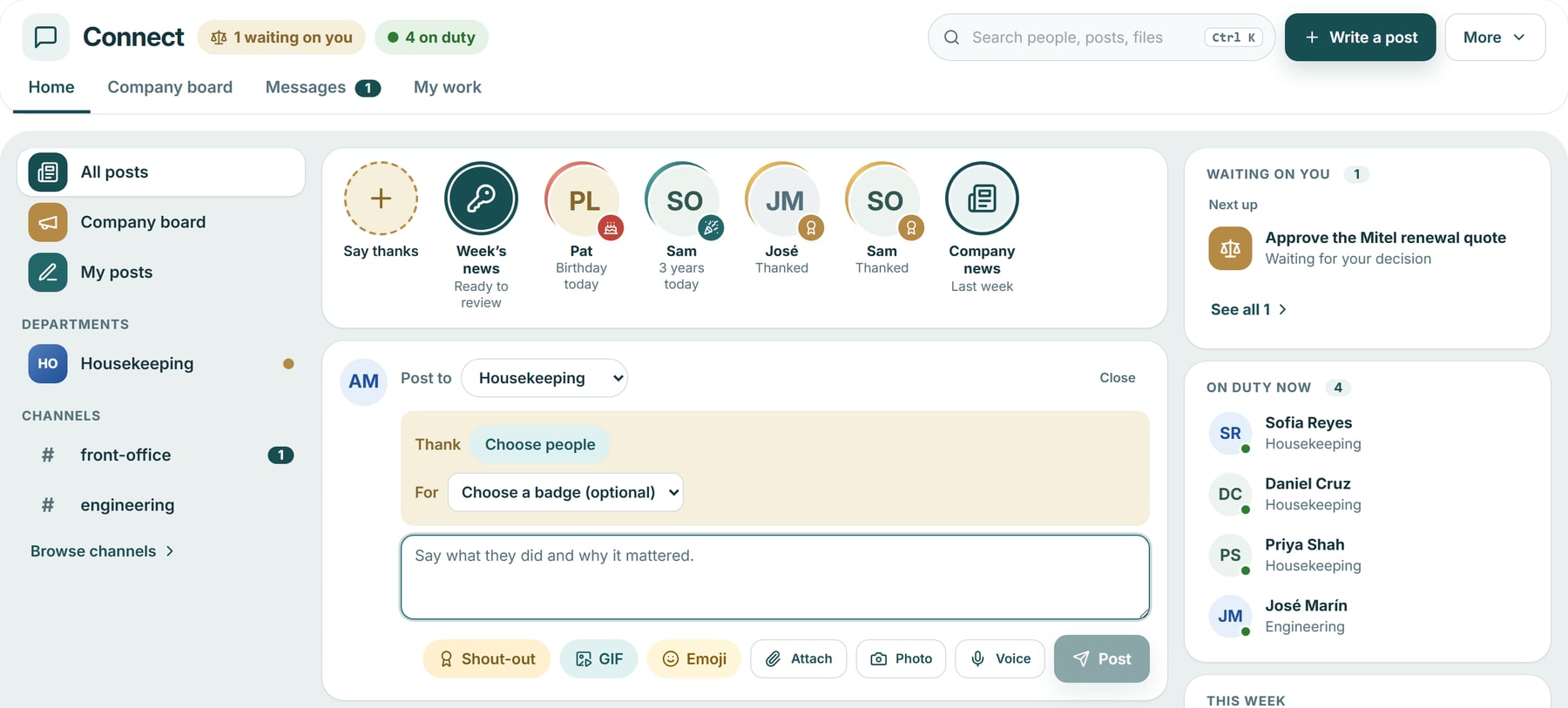
Keyline drafted this post from Service Desk, Projects and Vendors counts. Every line names its source and the post says who approved it. A manager reads, edits and posts it, or sets it aside. It names no guest, no room and no one person’s numbers.
Grand Harbour Hotel sample data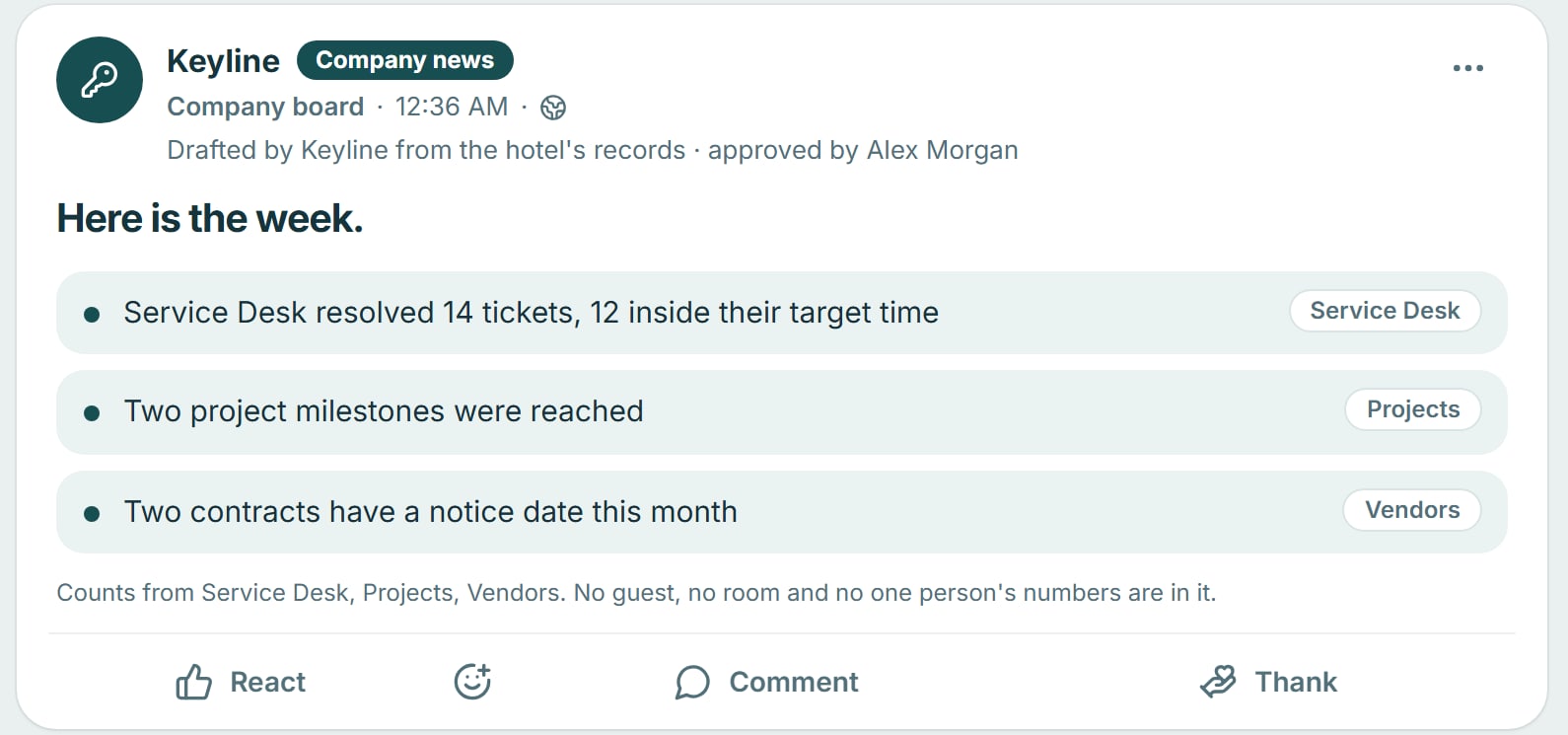
A colleague mentions Keyline about a fault. Keyline reads that message and offers one engineering work order on a card that says nothing has been done yet. The person confirms with their own rights, or declines.
Grand Harbour Hotel sample data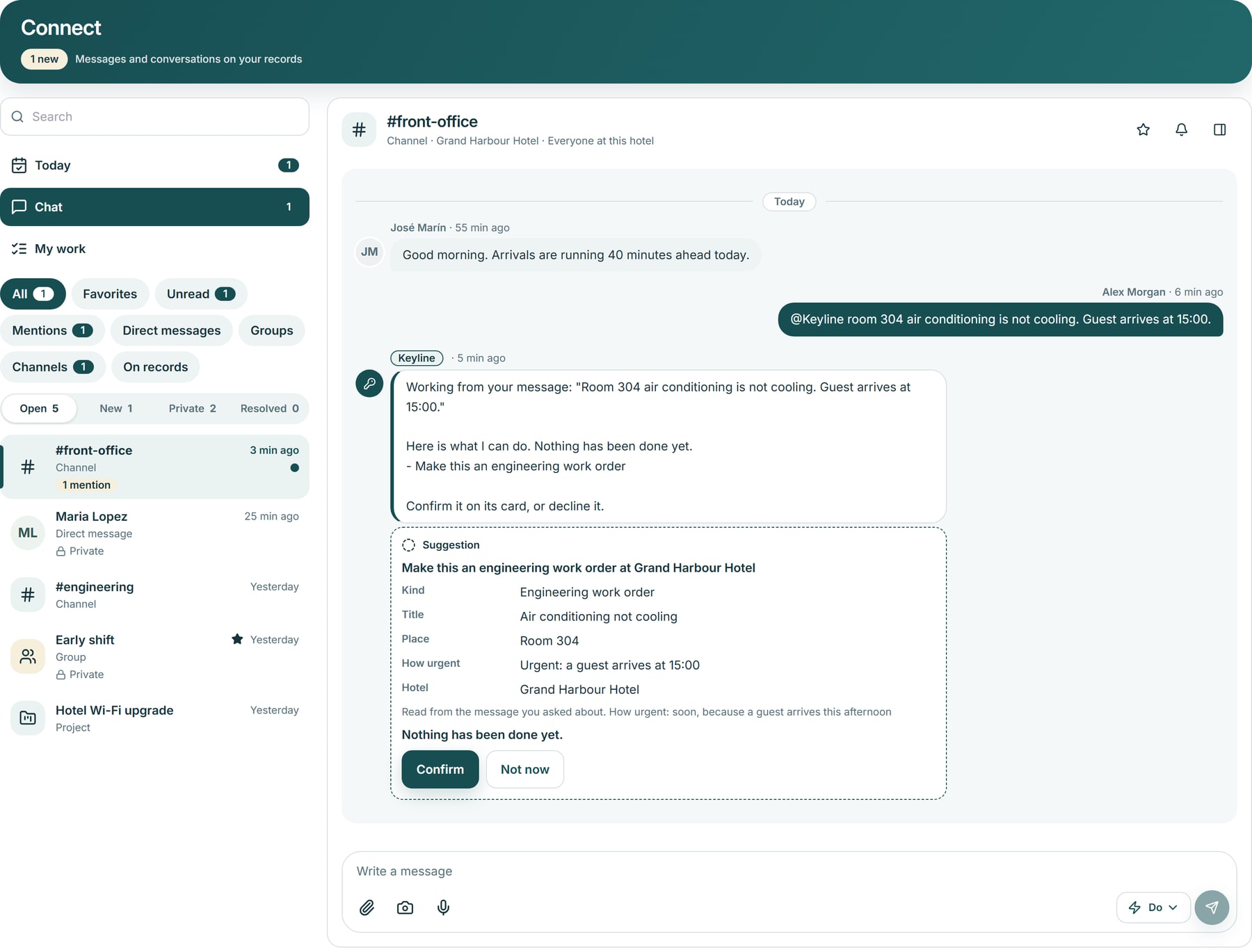
Approvals, tickets, project tasks and Roomline items that need a decision, with the conversations to catch up on beside them and a shortcut into each module.
Grand Harbour Hotel sample data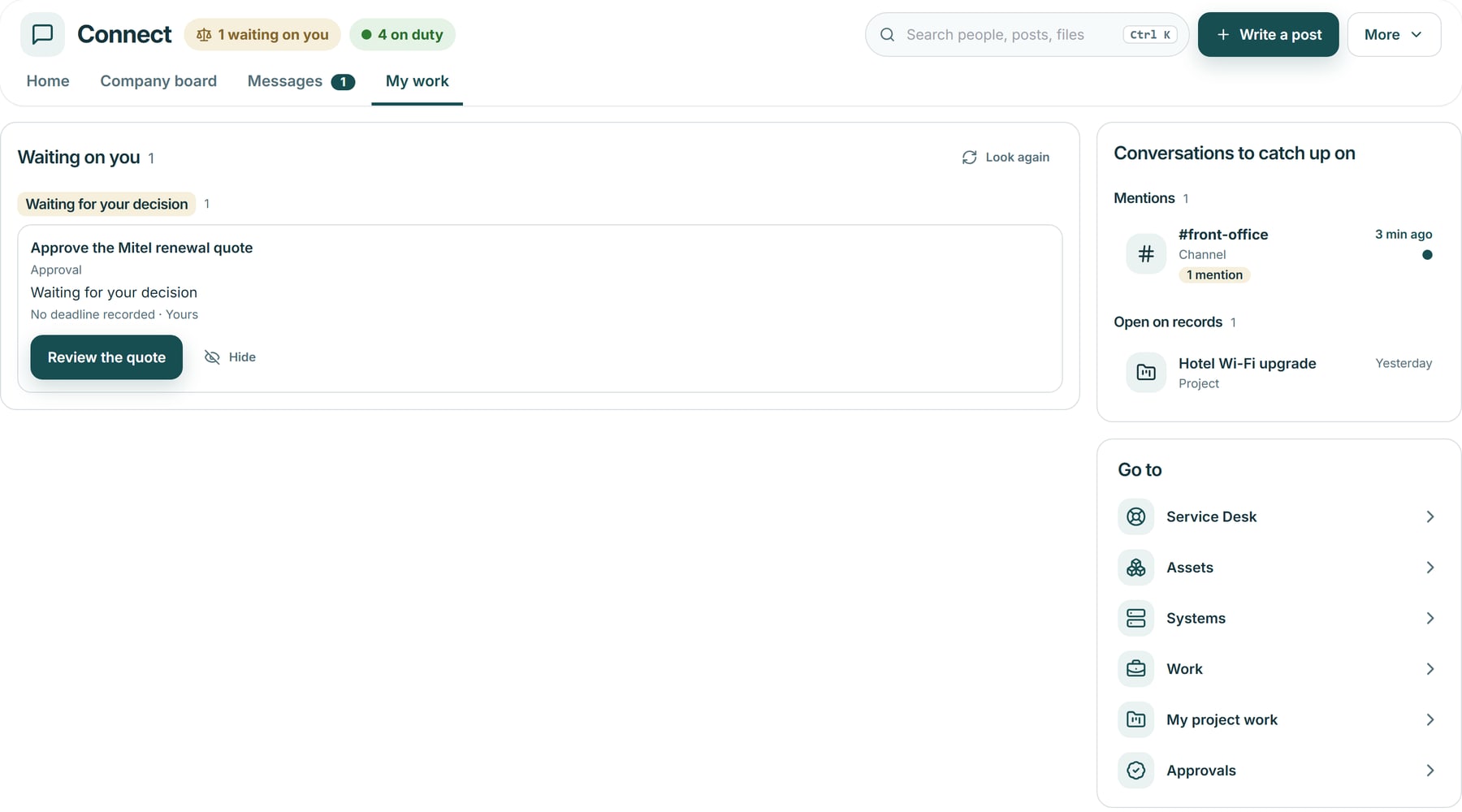
The company space
Connect’s company space is a feed for the whole hotel: news from leaders, shout-outs between colleagues and a space for each department. It is off until your account has it and a hotel manager switches it on for that hotel.
Screens show Grand Harbour Hotel sample data. Availability depends on your account and on each hotel switching it on.
The problem
A fault is reported in one chat, chased in another and written on a shift note a day later. Wins go unseen, thanks is said at the back door, and each department works as if the hotel were someone else’s.
Home shows posts and conversations from the spaces you belong to, with pinned posts first. Each department has a page of its own, My department: the team’s posts, with Messages, the company board, goals, requests and guides as tabs, and what is waiting on you beside the feed.
Say what is wrong in your own words. Keyline asks where if it needs to, then offers a Service Desk ticket for IT or, where the hotel runs Roomline, a work order for engineering. In a conversation, mention Keyline for a ticket, a work order or a project task. Nothing is made until you confirm it.
Choose colleagues and a badge, then say what they did and why it mattered. Add a photo or a short video of up to 25 MB. There are no scores, ranks or leaderboards.
Keyline drafts the week’s news from Service Desk, Projects and Vendors counts, suggests words for recognition a colleague earned, and drafts posts for days a hotel marks. A person reads, edits and posts, or sets it aside.
A realistic scenario
On the night shift an auditor posts a photo of a leaking pipe in the engineering channel and mentions Keyline. It offers an engineering work order with the place and how urgent it is, and the night manager confirms it. The next morning the engineer’s fix is thanked with a shout-out on the company board, and the general manager finds the week’s news already drafted, ready to edit and post.