Operations managers

See rooms, work orders and handovers across departments in one place, and what needs a person now, without chasing each department for an update.

Questions HTMS™ answers for operations managers

What needs a person right now?

Late, held and unassigned work ranked together, with the arrivals waiting on it.

Which arrivals are at risk?

Arrivals beside held rooms and open repairs, so a risk is seen before the front desk calls.

What was handed over?

Shift handover notes and checklist results from every department in one place.

Is each team holding to its standard?

Response, resolution and on-time rates by team, with Unknown wherever nothing was recorded.

What you see first

Your workspace opens on today’s priorities: what is late, what is held and who owns it.
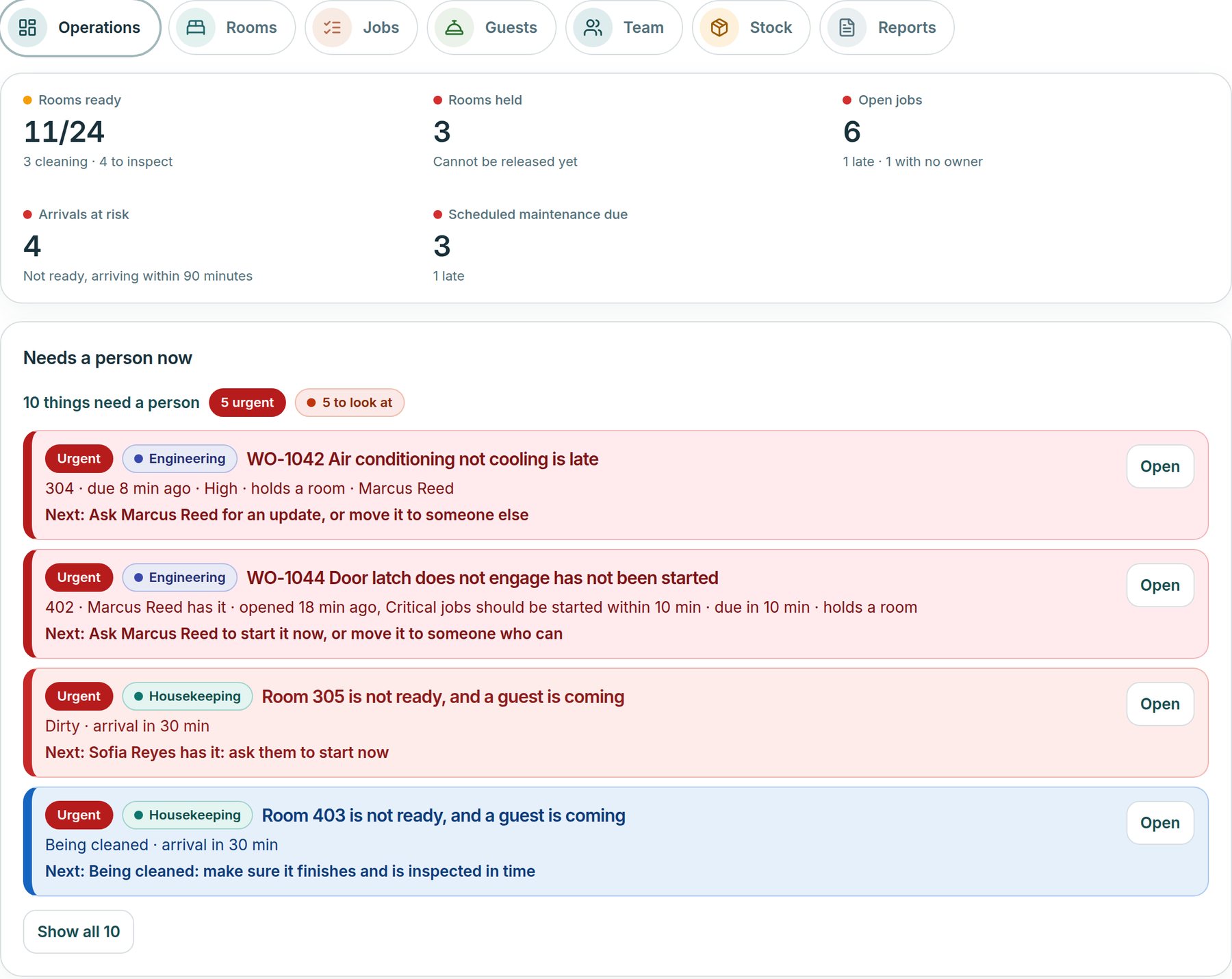
  • Priorities that need a person
  • Rooms ready and held
  • Arrivals at risk
  • Handover notes
  • Response and on-time rates
Roomline operations home: rooms ready, rooms held, open work orders, arrivals at risk and scheduled maintenance due, then a Priorities list of late, held and unassigned work beside a workload card
Example screen · Grand Harbour Hotel sample data

See HTMS™ from the operations manager’s seat

The demo starts from the day’s priorities, then follows one problem from report to finished work.

HTMS™ for Operations Managers | Techorph