Front office and front desk

Know which rooms are ready, log a guest request once and follow it to the end, without calling the floor.

Questions HTMS™ answers for the front office

Which rooms are ready?

Rooms by floor, coloured by state, with released and held rooms clear.

Has this request already been logged?

A guest request is named by place and checked against the open ones before it is added.

Who has it, and when is it due?

Each request has an owner and a due time, and the desk can see where it stands.

What do we know about this guest?

Names and preferences are visible to every role; messages and notes go only to the front desk, operations managers and administrators.
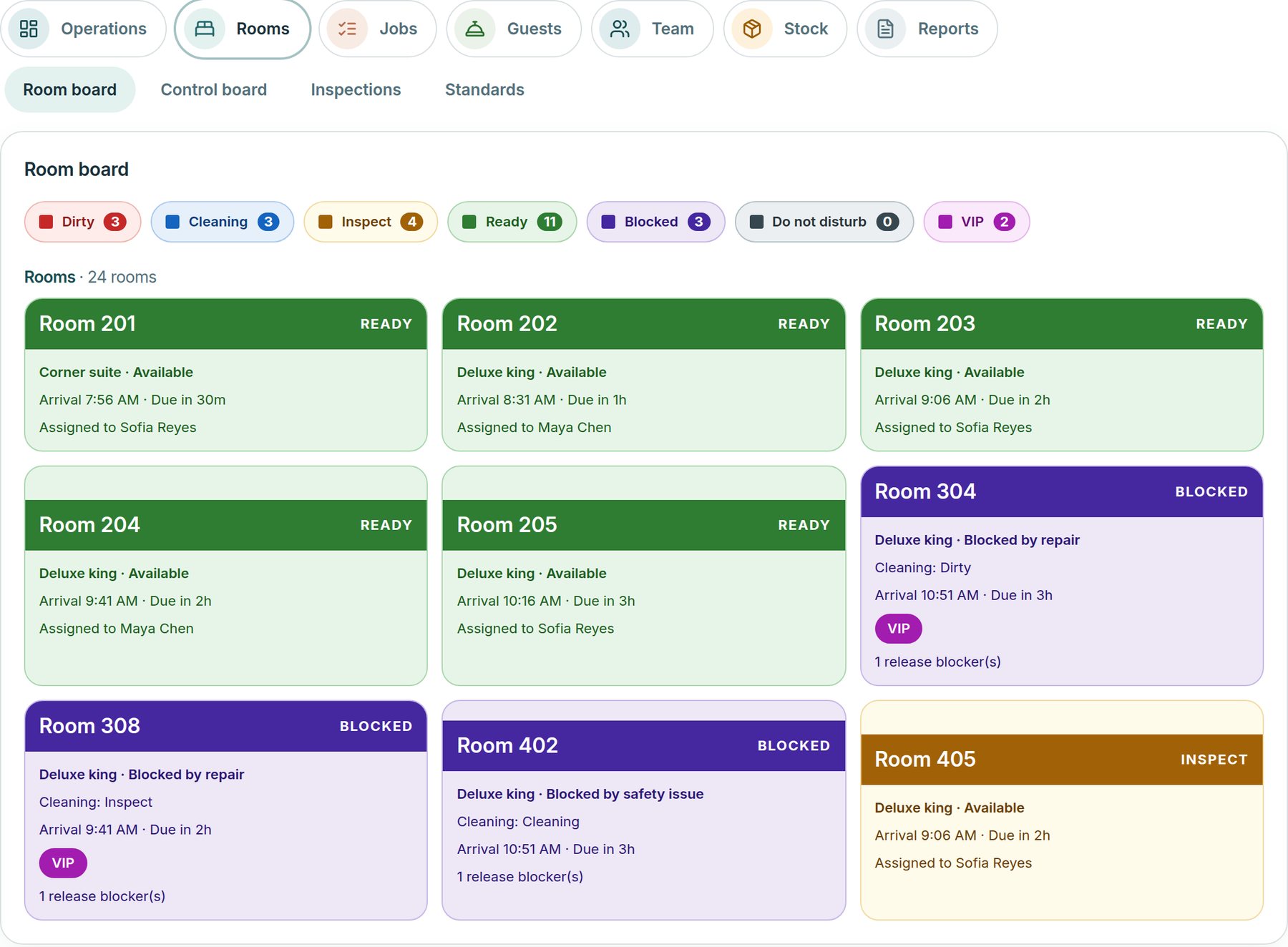
What you see first

Your workspace opens on the rooms and the requests that need the desk.

  • Rooms by floor
  • Open guest requests
  • Rooms held and released
  • Arrivals due
  • Guest preferences
Roomline rooms view with a band for each floor, a card for each room colored by state, a find-a-room box and a strip of floors showing how many rooms are ready
Example screen · Grand Harbour Hotel sample data

See HTMS™ from the front desk

The demo logs a request, checks for repeats and follows it to the end.

HTMS™ for Front Office & Front Desk | Techorph