Hotel Operations

Every work order has an owner, a due time and a recorded history

Requests and scheduled maintenance become work orders with a place, an owner and a due time, verified before they close, with late or unowned work put in front of a person.

Available$2.50 per room/month
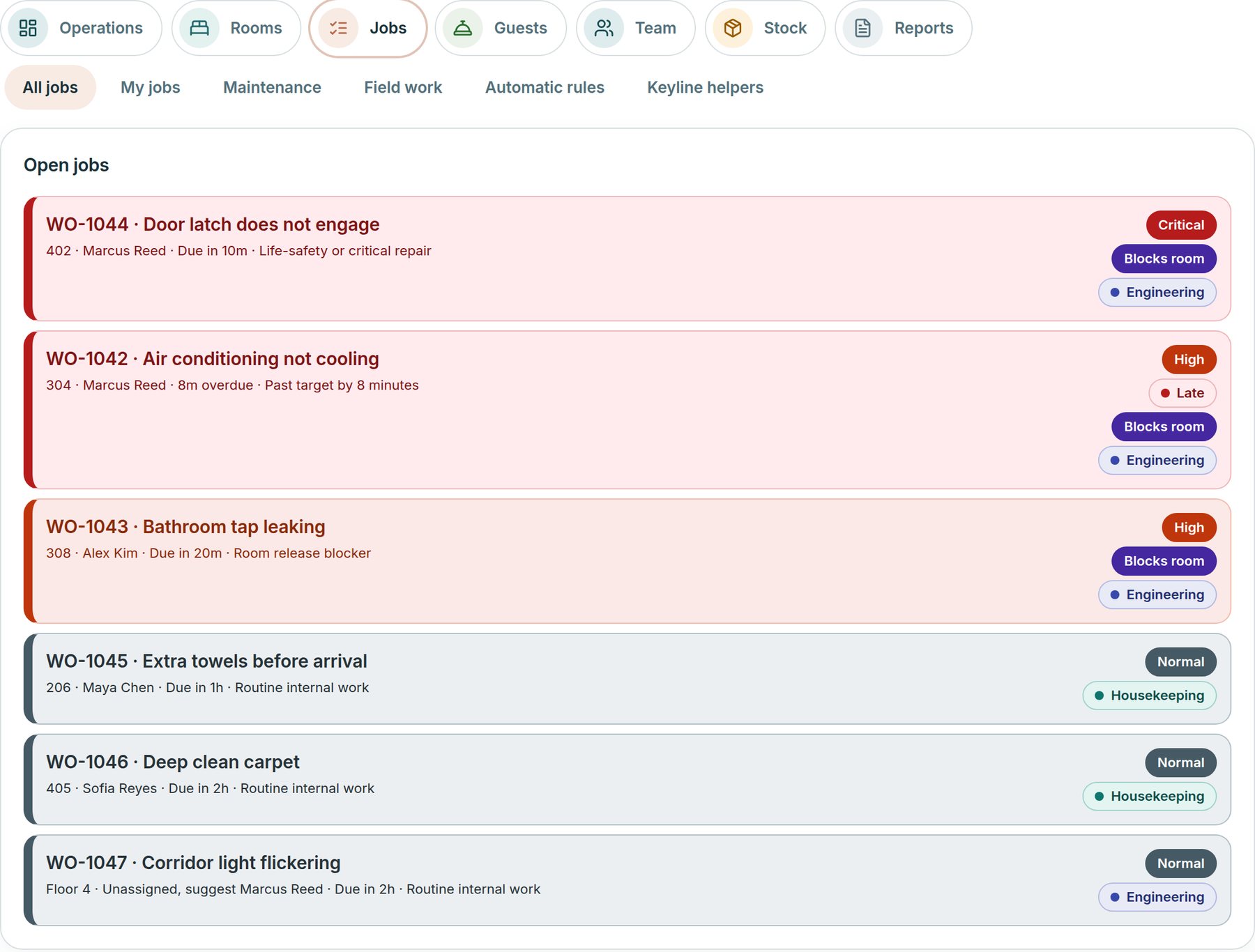
Work orders module with the list of open work orders, each with priority, owner, due time and whether it holds a room
Example screen · Grand Harbour Hotel sample data

The problem

Where did that request go?

A towel request is shouted down a corridor, a repair is written on paper, and a late work order is found when the guest complains. Nobody can say who owns it or how long it has waited.

How a work order moves

  1. Raise

    Guest and department requests are raised in Roomline and become work orders with a place, owner and due time.

  2. Assign

    The Work orders list suggests an owner and writes out why: department, room, floor, workload. A supervisor assigns or overrides.

  3. Work and record

    A work order moves from Open through Accepted, In progress and Completed to Verified and Closed, with a written history. The chief engineer’s schedules open recurring work, and each repair stays on the equipment.

  4. Escalate

    Anyone can ask a supervisor for help. Late, held or unowned work appears on a ranked Priorities list.

Also in Work orders

Keyline helpers on the engineering desk

The rest of the engineering desk, beside the work orders themselves.

Keyline helpers

Eight helpers read your hotel’s records and explain what they find, with the records behind it: workforce, coaching, quality, engineering, guest service, supervisor, performance and manager. Each starts by reading and answering only. A person approves every proposal.

Work orders is owned by engineering and sits beside Roomline, using the same records.

In the product

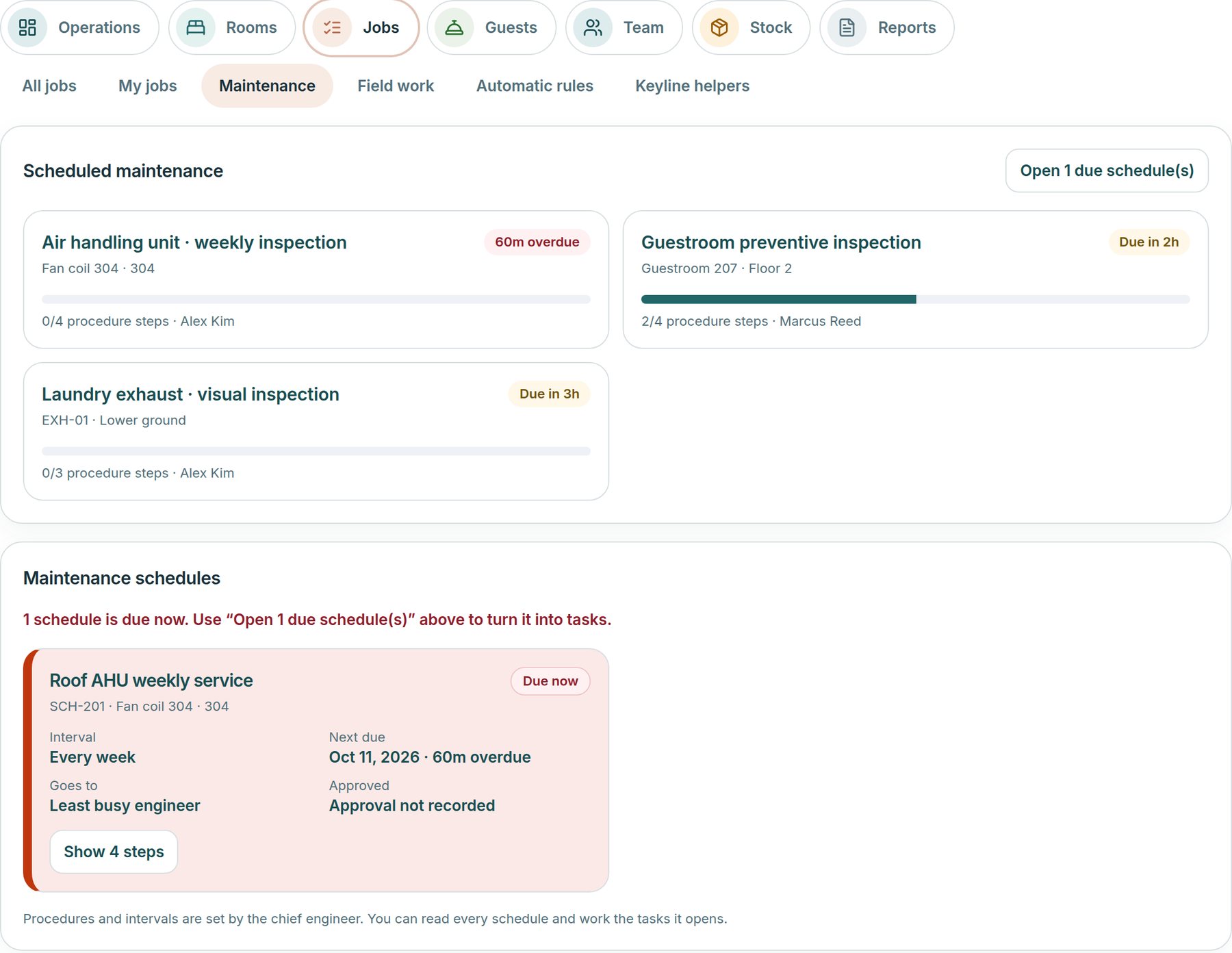
Scheduled maintenance beside the work

Recurring services with step-by-step procedures, set by the chief engineer. Due schedules become tasks for the engineer named, and a failed step opens repair work.

Grand Harbour Hotel sample data
Work orders scheduled maintenance showing tasks that are late or due soon, procedure steps done and the engineer responsible

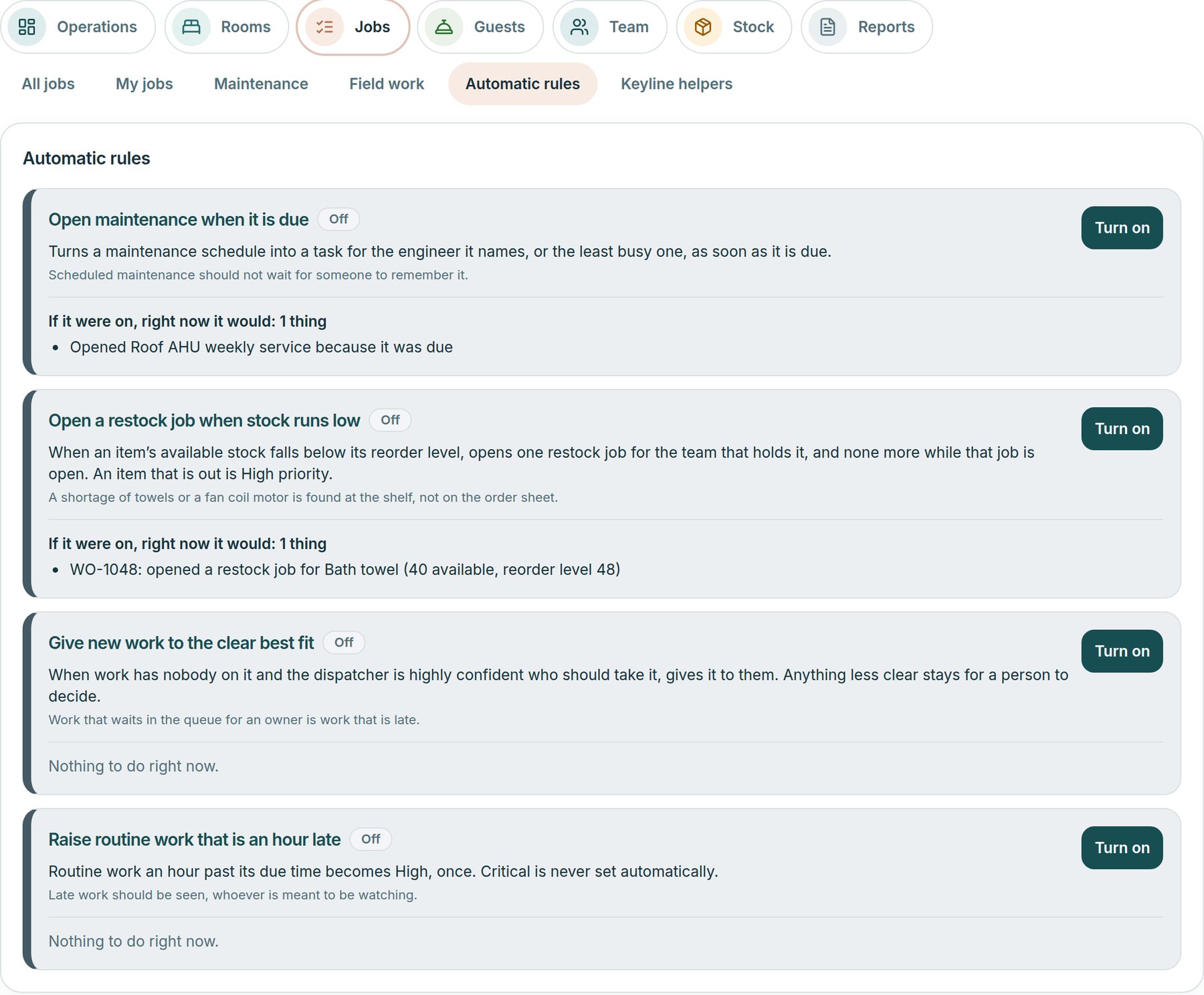
Automatic rules

20 optional rules in five groups, such as open maintenance when it is due and warn when a room will not be ready for an arrival. Each is off until an operations manager turns it on, shows what it would do right now, and one switch pauses them all.

Grand Harbour Hotel sample data
Work orders automatic rules with how many of the 20 rules are on, a switch that pauses them all, and each rule with what it would do right now and who turned it on

Who it is for

Operations managers

See every work order, who has it and what is late. Switch on the automatic rules, approve credits and service recoveries, and read the shift reports.

Chief engineer

Assign engineering work, approve maintenance procedures, set the schedules and review each engineer’s on-time and repeat-repair measures.

Engineers

Open on their own list, accept and start a work order, set parts aside, record how each repair was resolved and ask a supervisor for help.

Housekeeping supervisors

Raise a work order for a room, give housekeeping work to the team and ask engineering for a repair from the same list.

Front desk

Log what a guest reports as a work order for the team that fixes it, and see its status without chasing anyone.

Leadership

Read the list, the Priorities and the reports, without changing anything.
Included in
Operations
Package and availability
$2.50 per room/month
Availability
Available

A light out in a meeting room

A realistic scenario
A banquet manager reports a failed light in a meeting room. It becomes an engineering work order with the place, a priority and a due time, and Roomline suggests an owner with reasons. If it runs late it appears on the supervisor’s Priorities list, and it closes only after the fix is verified.

Every work order has an owner, a due time and a recorded history | Techorph HTMS™ | Techorph