Hotel Technology Management System
Which of your hotel’s systems are worth what you pay?
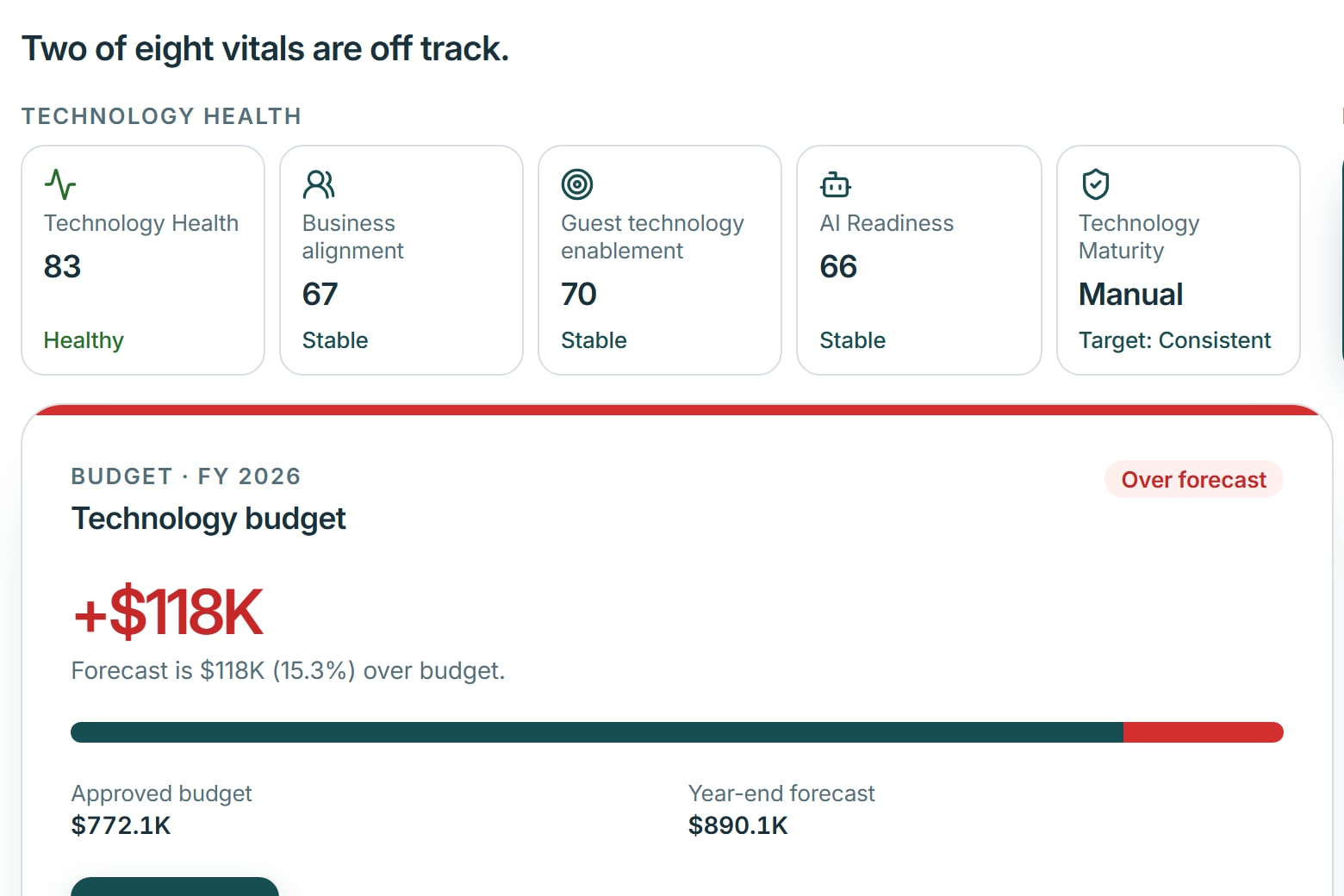
Most hotels know what they spend on technology. Far fewer know which systems deliver value, which ones frustrate staff, and where they pay for more than they use. HTMS™ shows all three from your own contracts, budgets and departments, and helps your team act on it.
Built by experienced hotel leaders. HTMS™ works alongside your PMS and existing systems; it does not replace them.

Three situations
Where hotels lose money and staff time to technology
Each of these costs the hotel money, staff time or a guest’s patience. Most hotels will recognize at least one.
A contract renewal
A software contract renews in a few weeks, and nobody has decided whether to keep it. Miss the notice date and the hotel pays for another year.
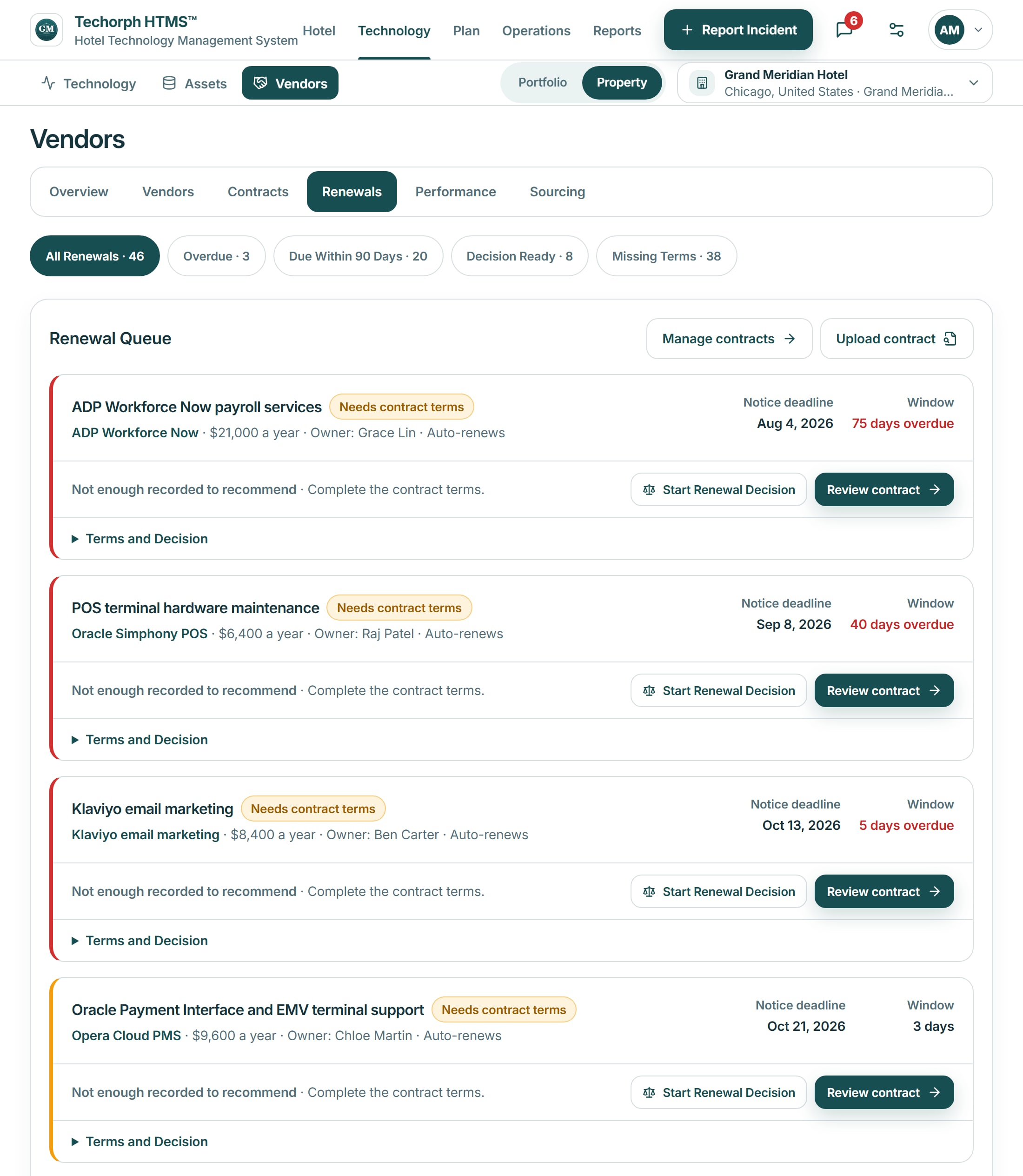
The renewal list shows what renews this quarter and the last day to give notice, so the decision is made before the contract rolls over.
Renewals decided before the deadlineSee vendors and renewalsTwo systems, one job
Two departments pay for systems that do the same job, and nobody can say which one the hotel uses. Both invoices keep arriving.
Spending is broken down by system, vendor and department. Recorded overlaps between applications are shown with their contract terms, and leadership decides which one stays.
Spending explained line by lineSee budget and spendingA fault that keeps coming back
The same room or system keeps failing, and each repair is closed without anyone owning the cause. Staff keep reporting it, and guests keep noticing.
Each fault becomes a ticket or work order with an owner and a response target. When it keeps coming back, the repeat reports link to one problem record, with the system or equipment and the vendor behind it.
One owner for the cause, not only the repairSee the IT Service DeskOne workflow, start to finish
From a renewal notice to a decision
A software contract is coming up for renewal. This is what HTMS™ shows, step by step.
- The contract appears in the renewal list with its annual cost and the last day to give notice.
- Its budget line, the system it pays for and the departments that rely on it are shown beside it.
- The responsible manager is named, with the vendor’s recorded service performance.
- The manager prepares a renew, renegotiate or replace decision for the general manager.
HTMS™
Three products on one set of hotel records
HTMS™ keeps the hotel’s systems, contracts, budgets, rooms, repairs and team conversations in one place. Buy one product or all three; each works from the same records.
Technology Management
What you run, what it costs, what to fix next
Systems, vendors, contracts, budgets, IT support and projects, with renewal dates and the evidence behind each priority.
See Technology ManagementHotel Operations
Which rooms are ready, and who owns the next step
Room readiness, housekeeping assignments, inspections, work orders and guest requests, shared by housekeeping, engineering and the front desk.
See Hotel OperationsConnect
Conversations that turn into assigned work
Department spaces and messages where a reported problem becomes a ticket or work order once an authorized person confirms it.
See ConnectHow the products fit together
One set of records, three kinds of work
Each product can be bought on its own. Together they share the same records, so a fault reported in a conversation can be traced to the equipment, the repair and the vendor contract.
- Technology Management keeps the record of every system, vendor, contract and budget line.
- Hotel Operations runs room readiness, housekeeping and work orders on those records, including the hotel’s equipment and vendors.
- Connect brings staff conversations next to the work. Keyline can prepare a ticket, or a work order where the hotel has Hotel Operations, for an authorized team member to confirm.

Before you buy
Who builds HTMS™, and what is ready today
Built by hotel technology leaders
Techorph is led by people who have run IT at hotels and resorts and supported hotel portfolios. The About page names them and their experience.
About TechorphOnboarding with your real records
Before go-live, Techorph helps load your departments, systems, vendors, contracts and budgets. Your team reviews each record and confirms what is accurate.
How onboarding and support workWhat is available today
Technology Management is available now. Hotel Operations and Connect are in early access: built and working, and still being validated at live hotels.
See what is available todayWorks alongside your PMS
- Mews
- Oracle OPERA Cloud

Bring one hotel problem. See the workflow that handles it.
Tell us whether it is technology costs, room readiness, a recurring fault or team coordination, and we will walk through that workflow.