Connect
Reach the right department in one message, not a dozen phone calls
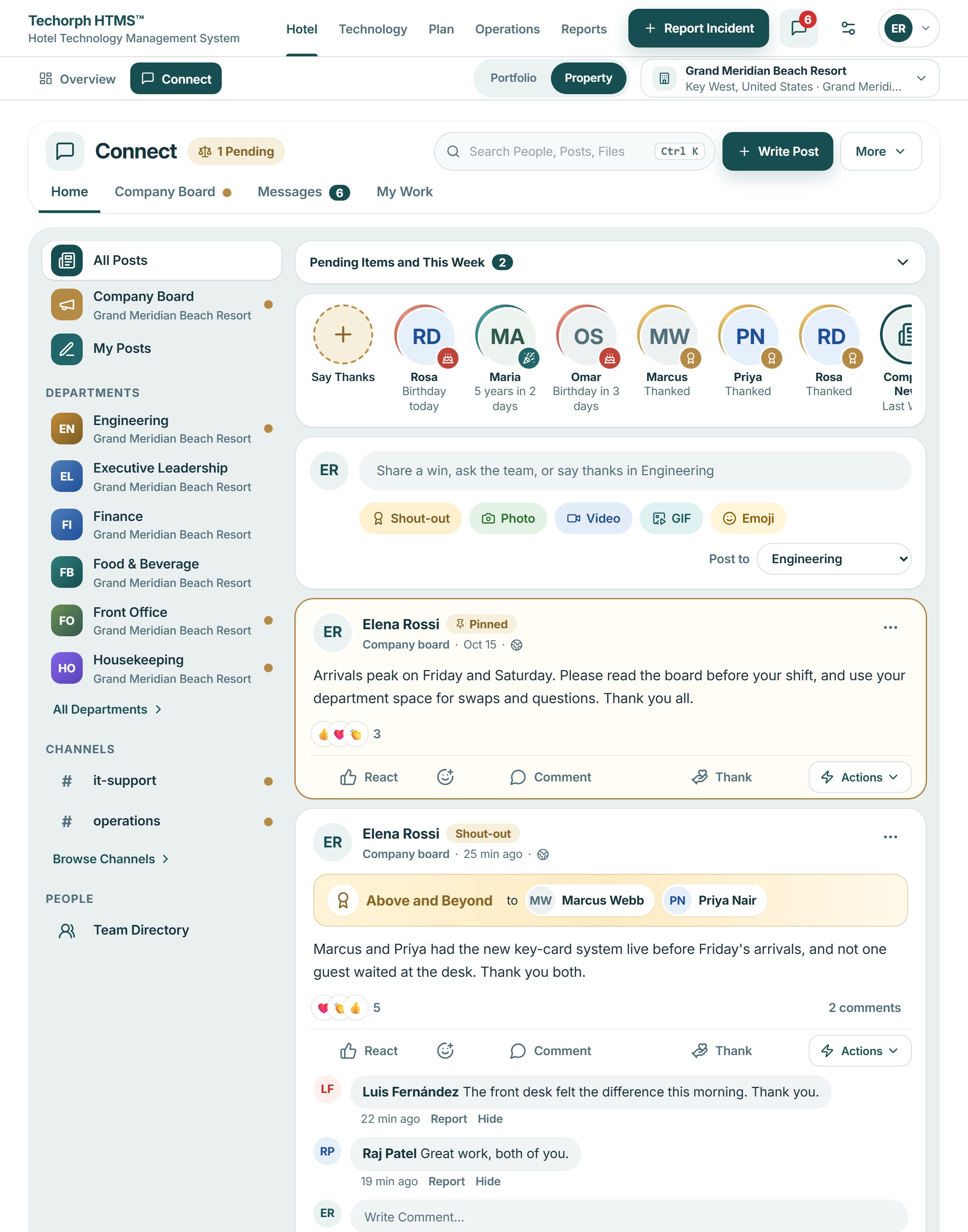
News, questions and handovers scatter across chats and boards. Connect keeps company news, department spaces, channels and direct messages in one place, with the work waiting on you beside them.
The problem
News, questions and handovers are scattered across chats, boards and inboxes
The group arrival list is posted in one place, the shift is told in another, and the same question about early check-in is answered three times. Each department keeps its own habits, and nobody can see the whole hotel’s conversation.
A typical moment“I pin the arrival list in one place, answer the same question in another, and still find out in the morning that nobody saw it.”
Why team news and questions get lost
Department news and notes get lost in group chats.
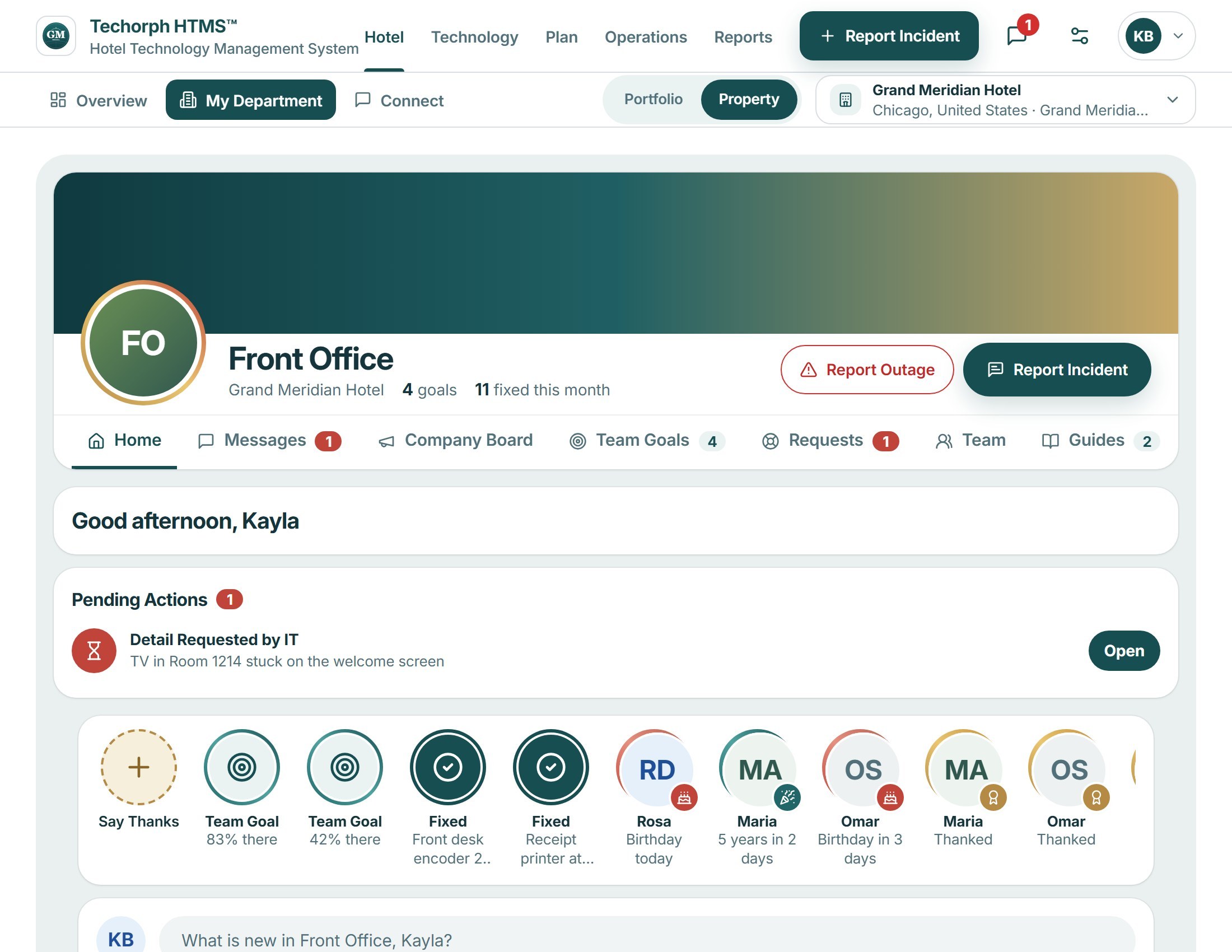
In HTMS™ Each department has its own space with a feed, a pinned note and a team list, beside the company board.
A question is answered in one chat and the fix is chased in another.
In HTMS™ Channels and direct messages live together, and the Do menu makes a service request, work order or task from the last message.
What needs you is spread across tools.
In HTMS™ My work lists approvals, tasks and unread conversations in one place.
How a team uses the workspace
Open your department’s space
Each department has its own feed, a pinned note, shortcuts and a team list, beside the company board. Each person sees the spaces their role allows.
Talk in channels and messages
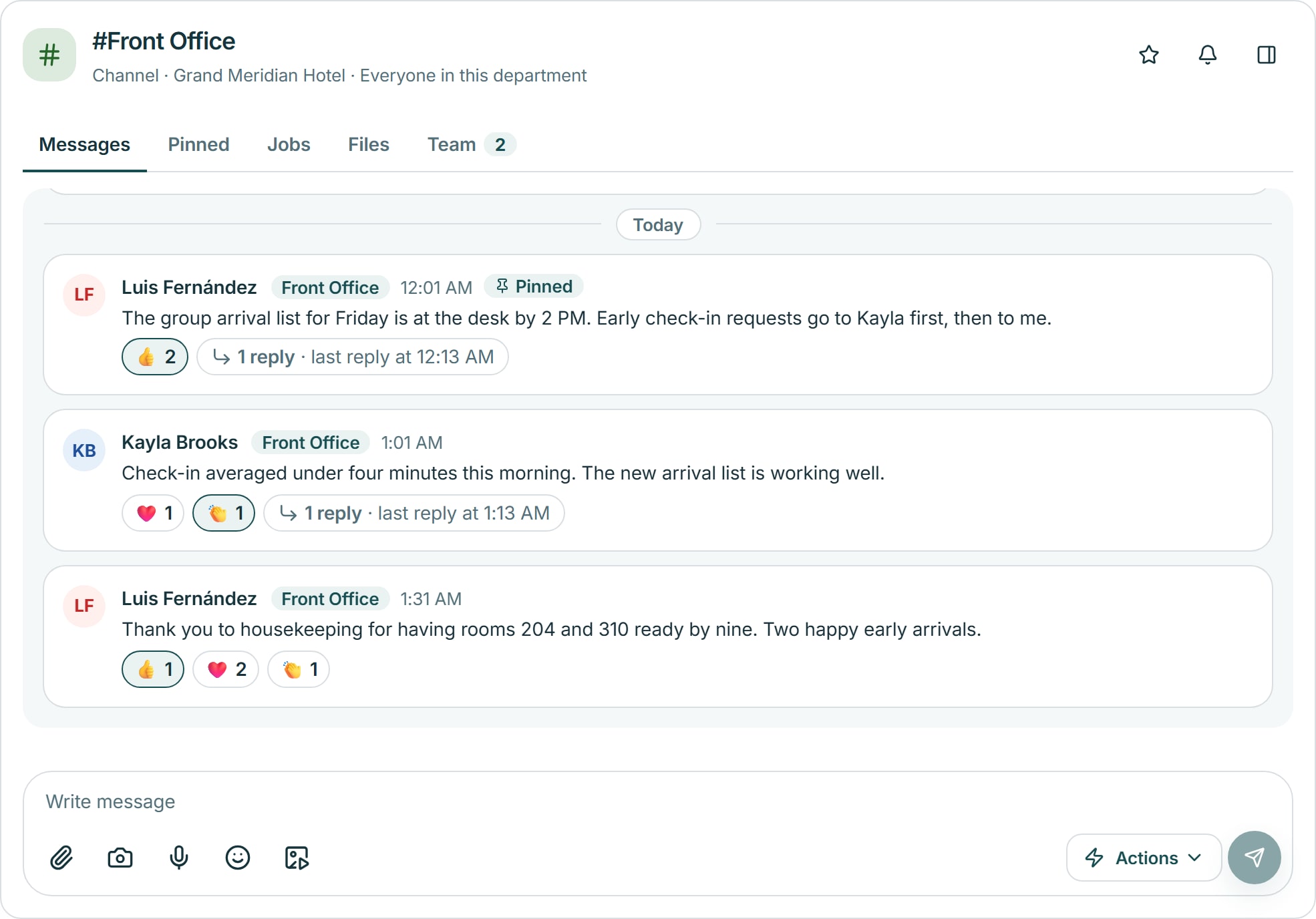
Channels, groups and direct messages sit in one Messages area, with files kept in the conversation.
Turn a message into work
From the last message, a person can make or update a service request, a work order or a task from the Do menu.
See what is waiting on you
My work lists pending approvals, open tasks and unread conversations in one place.
In the product
A conversation with its files
In the #it-support channel a colleague reports a jamming lobby printer with a photo, a second person adds the error log and others reply, so the report, the evidence and the answers stay in one thread.
Works with
The arrival list reaches the whole shift
A realistic scenario
A front office manager pins the group arrival list in the department space. A colleague asks about early check-ins in Messages and the answer is pinned beside the list. At the end of the shift the manager opens My work and sees the tasks and unread conversations still waiting.